Imagine you’re new to blogging and concerned about your WordPress website’s speed.
Or, you just want to start your first WordPress blog. But don’t want to make mistakes, as most new bloggers do with their WordPress optimization process.
One common thing to some new bloggers is that they want an affordable way to make things faster. And don’t want to spend money from their pocket before being sure about the effectiveness of their next purchase, which is a principle always followed by me.
Now the question is, Why are we obsessed with speed?
Think you visit a website that loads slower for you; what do you do?
If I were in your position, I would immediately close that website, return to Google and look for another site in the same niche. This is happening with every internet surfer.
I didn’t know the importance of website loading speed when I started blogging. It takes more than a year to learn.
I have been familiar with WordPress since 2010, but I didn’t have enough money back then. When I finally had the funds to start my first WordPress website, I knew nothing about website speed.
I made these mistakes in my early days of blogging and knew the pain of when things go wrong. I follow many blog posts and gurus, but when something goes wrong, I have to go back to Google and spend countless hours trying to find another tutorial or answer.
I don’t want you to make those mistakes or choose high-cost services based on some guru tutorial or videos on YouTube in the starting phase of your blogging journey.
In the below posts, I provide a solution from my experience and offer affordable alternative services. If it’s not required, skip that part.
Let’s begin with WordPress optimization mistakes and a solution for a new blogger.
Choosing Free or Cheap Hosting
This is the first mistake of many new bloggers in choosing a free website hosting service provider. When I started blogging in 2010, I used byethost to host my WordPress blog. It’s been running fine for one or two months, and one day I find nothing is free.
How do they give you free service with all premium-type promises without charging any money?
They redirect your traffic to their ads or landing page. If those ads are shown on your website, it means they advertise on your site without your knowledge.
I know it’s fair because they want to cover expenses, but you have to consider your visitors. Do they want to see their ads? When they want to read an article.
Another mistake by a newbie blogger is choosing cheap hosting. Cheap hosting makes many promises, like unlimited hosting and unlimited disk space. Always avoid this type of service because nothing is infinite in shared web hosting in the world. When your website starts to gain fame and traffic, you face many downtimes, and they want to buy their higher plan.
If you want to start with an affordable shared host, choose MyW, A2 Hosting, or GreenGeeks.
If you want affordable VPS, choose Vultr or DigitalOcean. Also, learn more about managing VPS with Webinoly to create super-optimized WordPress Websites in minutes.
Don’t want to manage WordPress by yourself? Check Kinsta or Rocket.Net.
✍: For more details, check how to choose the best WordPress-optimized hosting and save money.
Choosing a Free or Nulled Theme
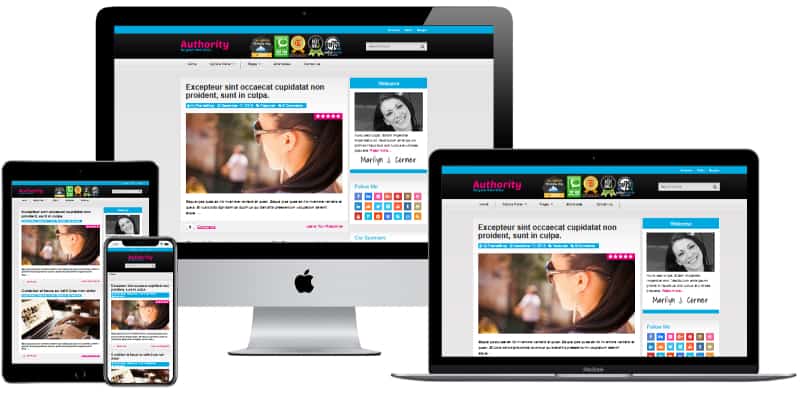
As I said before, nothing is free in this world. Many free themes available in the WordPress theme directory are poorly coded. Or you find many themes offered as a freemium model. For example, upgrade to the pro version If you want this feature.
But, a Poor code is not visible on my visit. Look-wise, it’s great. Why should I care about coding standards when things are available for free?
Because your visitor sees your website design and search engines look at your code.
Another mistake is choosing a nulled WordPress theme. Nulled Themes are a cracked version of premium themes, and it’s free. But, the nulled theme comes with viruses, and the chances of the hacking server or bandwidth usage increases.
The problem with the premium theme is they are expensive, according to the new blogger.
Solution: If you want to use the free theme but don’t want to compromise with quality, choose these themes.
- GeneratePress
- Hueman
- Default WordPress Themes
Choose GeneratePress Premium, BricksBuilder, StudioPress, or Divi from Elegant Themes If you want a premium theme.
GeneratePress provides the fastest WordPress theme, with a premium addon for $59/year or $249 for a Lifetime. StudioPress creates the Genesis framework, the best WordPress Theme framework. Elegant Themes gives you their entire themes and plugins for $89/year or $249 for a Lifetime.
Note: For BLOGGYAANI, I am using BricksBuilder and recommend it to everyone. It costs you $249 Lifetime* with an unlimited site usage license*. If you want the best support and coding structure for your WP sites, go for BricksBuilder or GeneratePress.
Note: GeneratePress is a free theme. You don’t need a premium addon to start your WordPress journey.
Installing Every Plugin
When you are new to WordPress, you check every tutorial to speed up your blog. Every tutorial or blog post recommends some plugins.
Many times these plugins are different from the plugin mentioned in another tutorial. In this case, we just install every plugin the tutorial recommends without considering its necessity.
In this case, we just install every plugin the tutorial recommends without considering its necessity.
Sometimes one plugin handles two or three plugins works, but we don’t know about it.
For example, I install Autoptimize, WP-Optimize, and W3 Total Cache. After installing the WP Rocket plugin, I uninstalled the plugins mentioned above.
⚠️: Install and check every plugin on your dev server before installing it on your main site. This prevents you from accidentally breaking your website with malicious plugins. Learn more about the best free WordPress optimization plugins.
✍: For a more in-depth WP optimization guide, check how to speed up a WordPress site like a boss.
☑️: Check the in-depth guide of Plugin Load Filter: which helps you to conditionally disable or enable plugins on your WordPress sites.
Not Optimizing Images for SEO and Storage
Images tell thousands of words.
This is true, but images also ruin your visitor experiences. You can lose hundreds of dollars if you do not optimize it.
When we search for images for our blog, we download the image and upload them. Or capture an image from a mobile or camera and upload it. This method ruins your blog’s SEO and user experience.
Solution: First, resize your image and rename your image with something useful. Try to include your keywords in the image name.
After resizing and image name changing, try to compress the picture. Use ShortPixel. I use Ewww and optimize all images with extreme settings and their reduced image size to 7MB. But after installing ShortPixel, my blog image size was reduced from 7 MB to 3.5 MB.
Check the video here,
Choosing the Wrong Ads Provider
Make a blog and become rich. This is every blogger’s dream, and you know there is no shortcut to achieving it.
Every new blogger applies for Adsense, and Adsense rejects many bloggers. Securing Adsense ads for a blog is a dream of every new blogger, but when it’s shattered, they apply for every ad provider shown in a Google search.
Some of the ad providers pay little, and some show bad ads.
These ads hurt your reputation and slow down your WordPress website.
Solution: Wait for Adsense or start selling the affiliate product. Affiliate products give you lots of money with little traffic.
Summary
If you are new to WordPress blogs or websites, you will probably make some serious mistakes, and it’s okay. The human learns from their mistakes and remembers them forever. These WordPress optimization mistakes cause serious problems, like breaking your website down for hours. But give you a valuable lesson.
Don’t worry. We all made these mistakes because every professional is once an amateur. Everyone makes a mistake, but the quicker you find your problem and solution, the faster you can build a successful blog.
So, What’re your mistakes? What is the WordPress optimization mistake you made that is mentioned in this post? Share your thoughts and comments below.

Shivam Sahu
Indeed a great list of common WordPress security mistakes.
A couple of days back I faced a situation where there were some unwanted ads being displayed on my blog and that was something I did not install. When inspected I found that there were a lot of unwanted codes that were injected into the WordPress theme files and other main files.
On further inspection I found out the following 3 things which were the reasons for this:
1). Not updating the other WordPress installation, plugins, and themes that are being run from the same hosting account if you are using a shared hosting
.
2). Optimizepress 1.0 is known to have a security issue and they have released an update to it. This doesn’t update in the normal updates from your WordPress dashboard. You might want to update it manually if you haven’t done it yet.
3). Not Cleaning and optimizing your database periodically
4). Leaving the default themes like Twenty Eleven etc. as it is and not updating them. This primarily happens if you are using a different theme and these default themes just remain there.
5). Not uninstalling plugins that haven’t been updated for a long time by their creators.
These are prone to attacks. A couple of solutions that I found were installing a plugin like Wordfence or, BulletProof Security or, Better WP security.